
Guide
How to Install Arceus X Neo on Android, Without the Usual Errors
The install guide that covers the step everyone else skips: the official-app conflict, the overlay permission and the size check.
INDEX On this page
Most failed installs of this tool trace back to one skipped step, so this guide starts with it. Get the file from Arceus X Neo APK so you know it is the verified build, then work through the order below exactly.
Step zero: the official app
Arceus X Neo is a modified Roblox client carrying the same package identity as the official app. Android will refuse to install it while the official app exists, and no setting changes that. Uninstall the official Roblox app first. Your account, friends, Robux and progress are stored on Roblox's servers, so nothing you own is lost in the switch.
The install itself
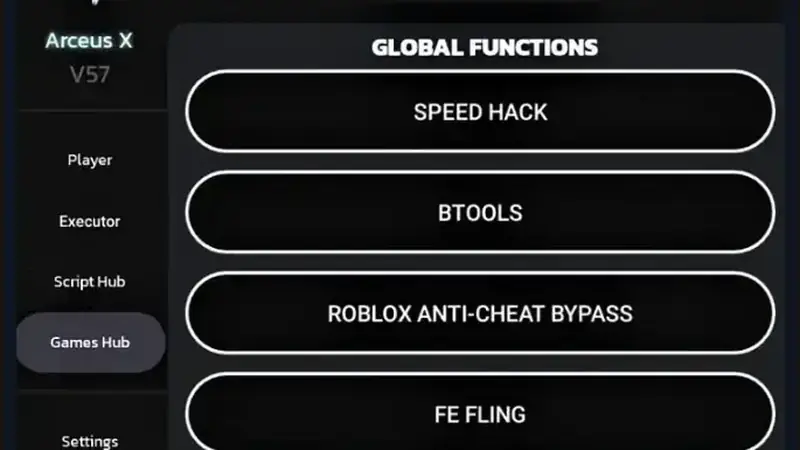
Download the file and check its size against the homepage details table. Open it, allow installs from your browser when asked, and tap Install. Then launch, sign in, and grant the display-over-other-apps permission when the app requests it: the floating menu button is an overlay and Android will not show it without that grant.
First open checklist
Complete the key flow (our key guide walks it screen by screen), open any experience, tap the floating button and move one hub slider to confirm the menu is live. If the button never appears, the overlay permission is the culprit in almost every case. Install it in the right order once, and Arceus X Neo stays out of your way from then on.
Keep driving
- Arceus X Neo Key System: How to Get Your Key, Step by Step
- Arceus X Neo Menu Not Showing? The Fixes That Actually Work
You can grab the verified Arceus X Neo file from the download page whenever you are ready to install.
Quick Answers
Why does the install fail with an app conflict?
The official Roblox app shares the package identity. It must be uninstalled first; your account data is online and safe.
Is the overlay permission safe to grant?
It is how the menu floats over the game, and it is the permission the tool genuinely needs. Grant it to this app only.
Can I switch back to official Roblox later?
Yes. Uninstall the modified client and reinstall the official app; sign in and everything is where you left it.